
Turn your WhatsApp chats into a book you’ll keep.
Your chats, forever beautiful. Chatcraft turns a WhatsApp export into a printable PDF book — every photo, date and voice, all preserved.
- Made on your phone
- No subscription
- Android 7.0+
Everything you need to keep a chat forever
Thoughtfully designed, privacy-first, and made to be printed.
Private by design
Your book is made on your phone. Messages, photos and the finished PDF are never uploaded — we can’t read them.
60 themes, 12 styles
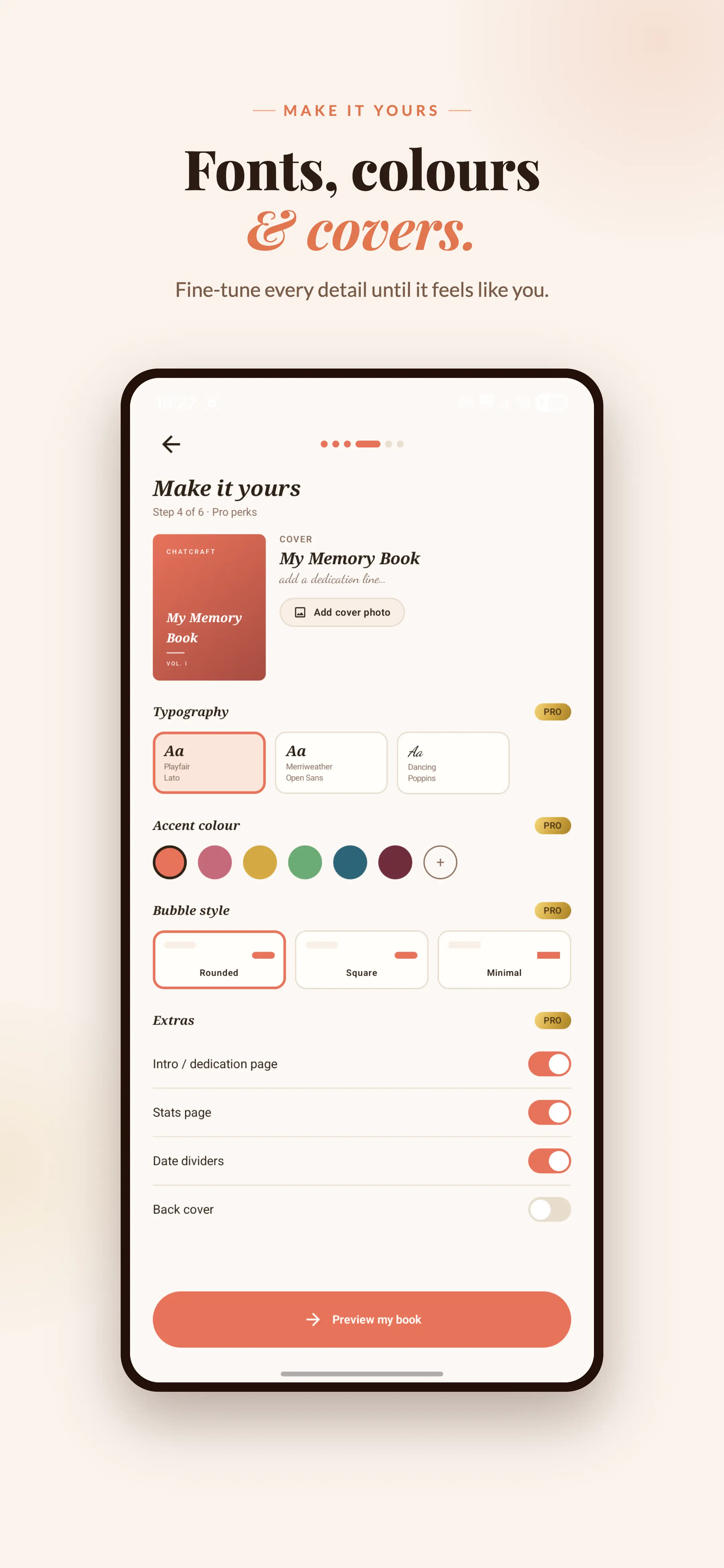
Romantic, festive, editorial, luxe, retro and more — with 5 page layouts (Journal, Classic, Romantic, WhatsApp, Transcript) and 8 cover styles.
Print-ready PDF
A4, Letter, Legal or Tall pages. Photos stay at original quality so they print sharp — or pick Balanced or Compact for a smaller file.
Everything in the chat
Photos, videos, voice notes, documents, polls, locations, contacts, reactions, calls, pinned and deleted messages — each laid out properly, not as “media omitted”.
Made to be a book
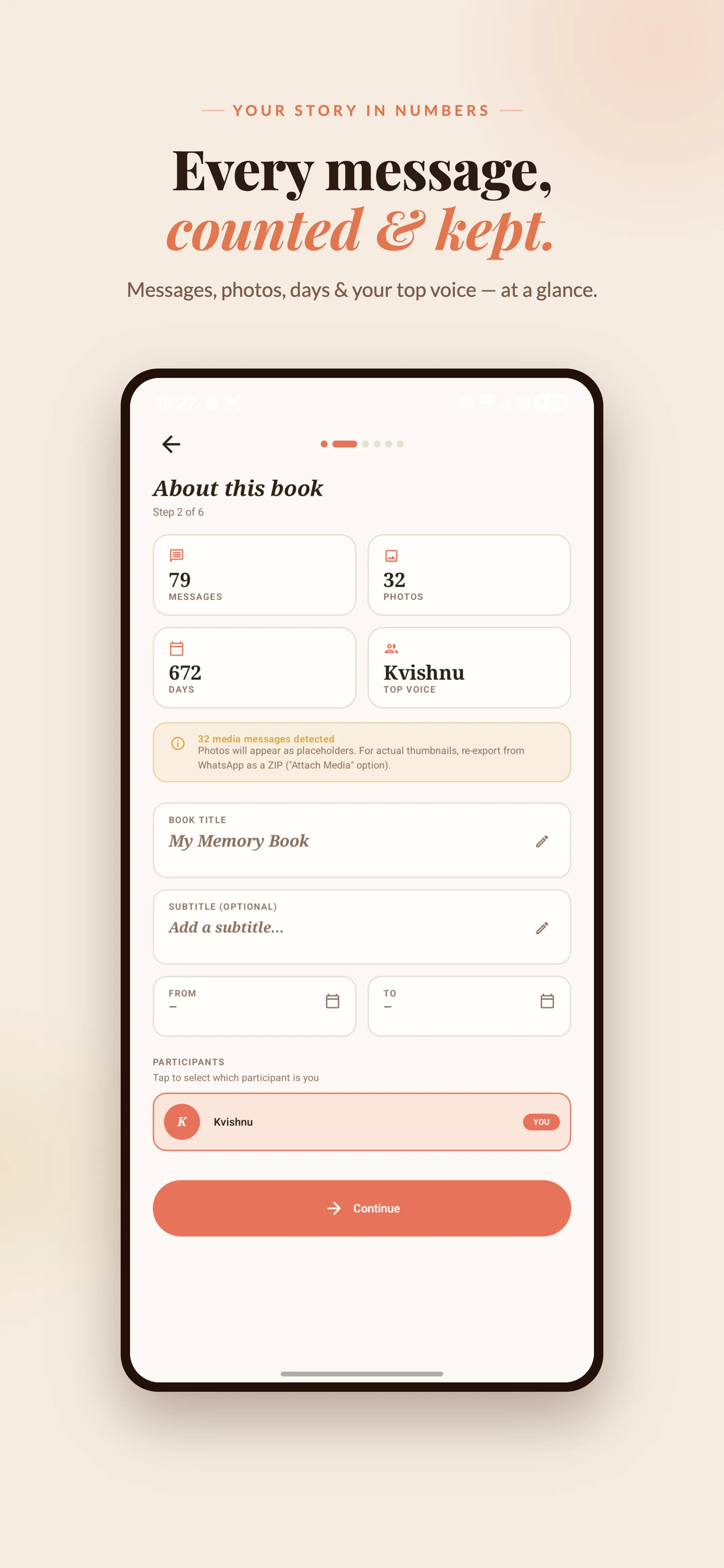
A stats page, a dedication and a cover, plus a date range — keep one trip or your first year instead of the whole chat.
Every language, every emoji
Hindi, Arabic and other scripts render correctly, right-to-left included, with emoji intact.
From chat to keepsake in four steps
No uploads to wait on — a book in a few minutes.
Export from WhatsApp
Android: open the chat → ⋮ → More → Export chat. iPhone: tap the chat name → Export Chat. Choose “Include media” (“Attach Media” on iPhone) for the richest book.
Import to Chatcraft
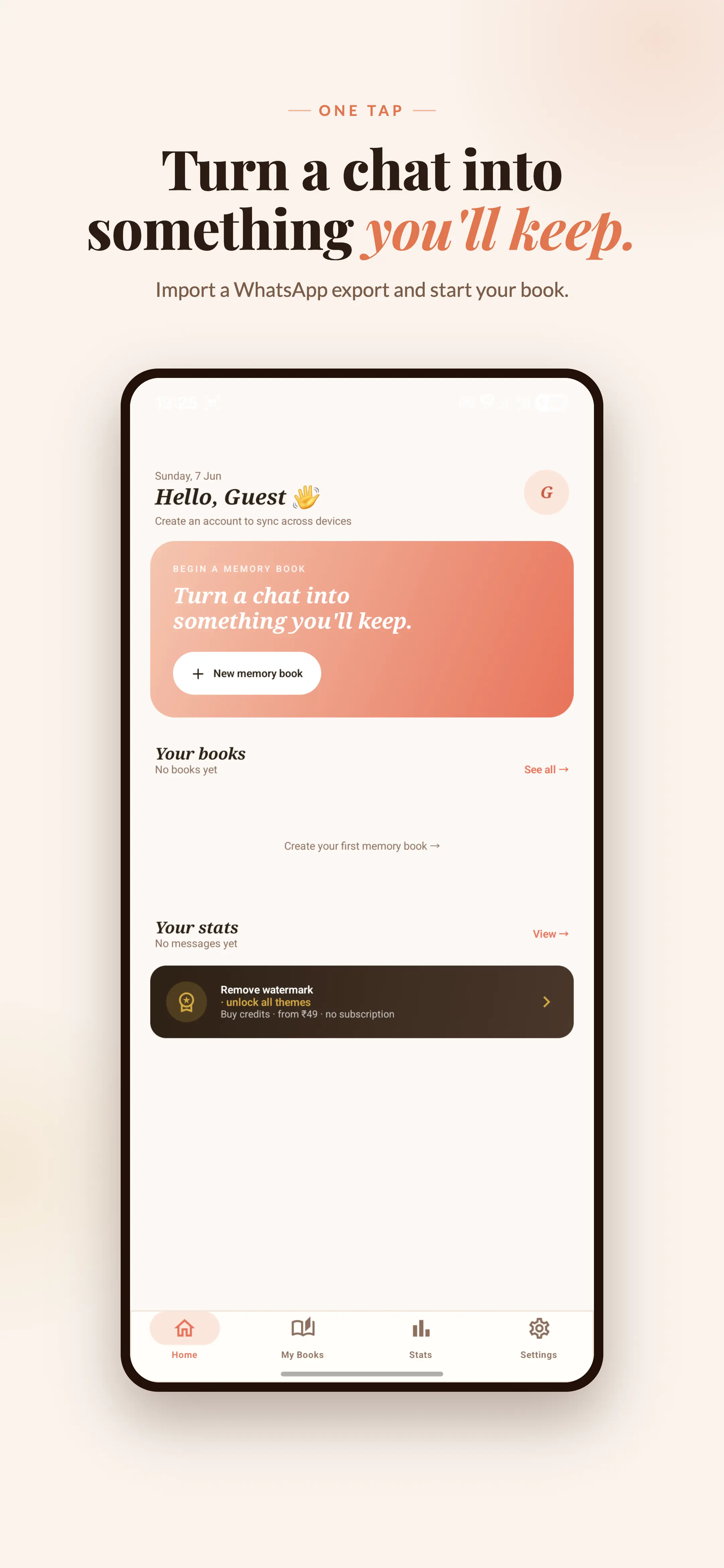
Share the .zip or .txt straight to Chatcraft, or open it from your files. Everything is read on your phone.
Pick a theme & customise
Choose a theme, layout and cover, set the title and dedication, pick a date range and decide how big photos should be.
Export your PDF
Generate a print-ready PDF book. Share it, print it, gift it — or keep it long after the chat is gone.
See it in the app
A few taps from a chat export to a finished book.
A theme for every kind of chat
60 themes across 12 styles — romantic, festive, editorial, luxe, retro and more. Here are a few.
Ember
FreeWarm & Cozy
Snow
FreeModern Minimal
Midnight
FreeDark & Moody
Rosewater
CreditsRomantic
Marigold
CreditsFestive & Cultural
Gazette
CreditsEditorial & Magazine
Sage
CreditsNature & Earth
Champagne
CreditsLuxe & Premium
Free to start. Pay only for the books you keep.
No subscription. A book costs credits based on its page count.
Free
₹0
- 3 free themes — Snow, Ember, Midnight
- Full PDF export with a small Chatcraft watermark
- 5 free credits when you verify your email
- Watch a short ad to earn 1 credit (up to 3 a day, signed in)
Credits
from ₹49
| Book size | Credits |
|---|---|
| Up to 20 pages | 1 |
| Up to 60 pages | 2 |
| Up to 150 pages | 3 |
| Up to 300 pages | 4 |
| 301+ pages | 5 |
- Every theme, no watermark
- Re-export the same book free for 30 days
Your conversations stay yours
Chatcraft processes everything on your device. We never upload, read, or store your chats or the PDFs you create.
Frequently asked questions
Is Chatcraft free?
Importing a chat, trying every theme and previewing your book are free. Snow, Ember, Midnight export for free with a small watermark. Other themes, and watermark-free books, use credits — you get 5 free credits when you verify your email, and can earn 1 more by watching a short ad (up to 3 a day).
Do you store or read my chats?
No. The book is built on your phone. Your messages, photos and the finished PDF are never uploaded. To charge credits, the app sends our server only the book’s title, message count and page count.
How do credits work?
Credits are pay-as-you-go, with no subscription; packs start at ₹49. A book costs 1 up to 20 pages, 2 up to 60 pages, 3 up to 150 pages, 4 up to 300 pages, 5 for anything over 300 pages. Exporting the same book again within 30 days is free.
How do I convert a WhatsApp chat .zip file to PDF?
In WhatsApp, choose Export chat and pick Chatcraft in the share sheet — or save the .zip and open it from inside the app. You don’t need to unzip anything: Chatcraft reads the chat and places every photo next to its message.
Can I print a WhatsApp chat with photos?
Yes. Export the chat with “Include media”, keep photo quality on Original and choose A4 or Letter pages. The PDF prints at home or at any print shop, and photos stay sharp.
Why isn’t my whole chat in the book?
WhatsApp limits what it exports: about 10,000 recent messages when media is included, and about 40,000 without. For a very long chat, export without media to capture more of the history.
I have an iPhone. Can I use Chatcraft?
Chatcraft is an Android app. You can still export the chat on your iPhone (open the chat, tap its name, then Export Chat), send the file to an Android phone and open it in Chatcraft — iPhone exports are fully supported.
How do I save a WhatsApp chat before deleting it?
Export it first: open the chat, then Export chat with media. Turning that export into a PDF book gives you a copy that doesn’t depend on WhatsApp, a backup or your phone.
What can I import?
WhatsApp’s built-in chat export — the plain .txt file or the .zip that includes media, from Android or iPhone. For the richest book, choose “Include media” when exporting.
Which devices are supported?
Chatcraft runs on Android 7.0 and newer, and is available on Google Play.
Turn a chat into something you’ll keep.
Download Chatcraft and make your first memory book today.